Google Analytics 4 Guide for 2026: Setup, Tracking, and Insights That Matter

If you’ve been doing SEO for a while, you’ve probably run into this: traffic is climbing, rankings look steady, but you still don’t really know what users are doing after they land on your site.
That’s where Google Analytics 4 (GA4) comes in.
This guide is built around one simple truth: traffic doesn’t tell the full story—behavior does.
And in today’s search landscape, especially with AI-powered results becoming more common, what people do after the click matters more than ever.
In markets like the Philippines, that shift hits harder. Since AI Overviews rolled out in 2025, a lot of sites have seen traffic patterns change without a clear lift in conversions. GA4 helps you close that gap—if it’s set up properly and you actually use it the right way.
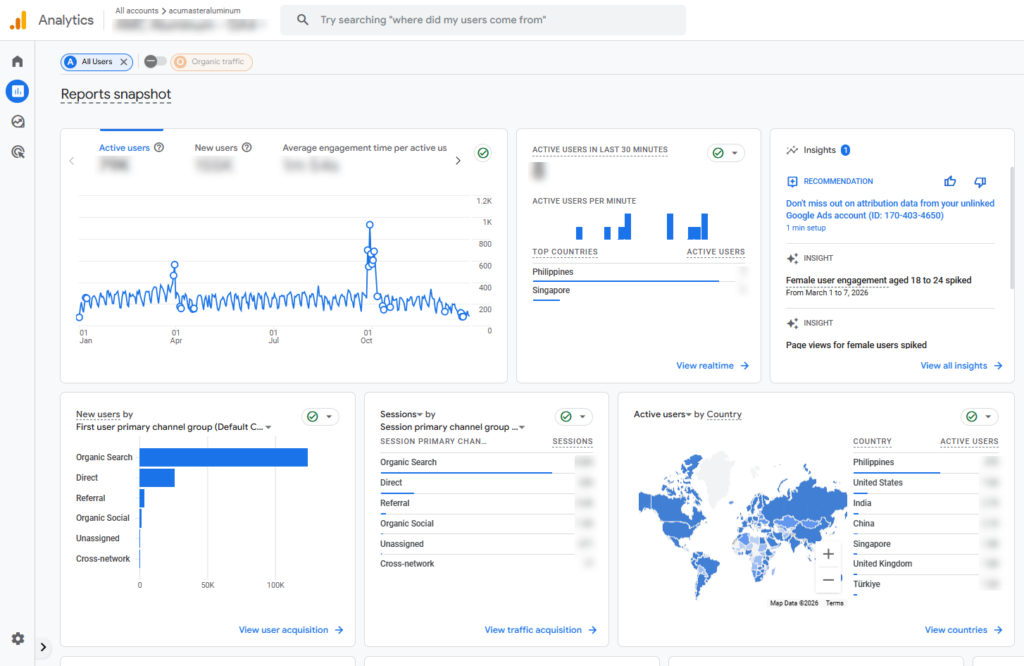
What Is Google Analytics 4 and Why It Matters in 2026
Google Analytics 4 (GA4) is Google’s event-based analytics platform. Instead of only tracking sessions and pageviews, it focuses on user actions, such as:
- Clicks
- Scrolls
- Form submissions
- Purchases
- Video engagement
In simple terms, GA4 helps you understand what users actually do on your site and not just how many of them visit.
When paired with Google Search Console, the picture becomes much clearer:
- Search Console: how users find your site
- GA4: what they do after they arrive
What’s New in GA4 for 2026
When I think about Google Analytics 4, it’s clear to me that it’s no longer just a tracking tool. It has grown into something much bigger. Over the years, especially with each Google core update, I’ve seen it evolve with features that actually change how I understand data.
In 2026, a few things really stand out to me:
- More meaningful insights and predictive metrics that help anticipate trends
- Smoother cross-device tracking, giving a clearer picture of user behavior
- A stronger focus on privacy, with modeled data filling in the gaps
- Tighter integrations across Google’s ecosystem, making everything feel more connected
The biggest shift is mindset. I used to rely on Google Analytics mostly for reporting. Now, I use GA4 to guide decisions. It’s less about looking back at what happened and more about figuring out what to do next.
How to Set Up GA4 Properly
Before we jump into the steps, here’s the goal: you want GA4 collecting clean, usable data from day one. Now let’s set it up.
Create your GA4 property
Begin by creating a new property in Google Analytics. Once that’s done, set up your web data stream so your website is properly connected to GA4 and ready to start collecting data.
Install Tracking
Next, you’ll need to install the tracking setup so GA4 can start collecting data from your website. There are a few ways to do this depending on your setup and preference.
You can use Google Tag Manager, which is often the most flexible option because it lets you manage all your tracking tags in one place without editing code frequently.
Another option is to install the gtag.js snippet directly into your website’s code, which is a more manual but straightforward approach. If you’re using a CMS like WordPress, Shopify, or similar platforms, you can also take advantage of built-in integrations or plugins that simplify the process and handle most of the setup for you.
The key is to make sure the tracking is installed correctly and firing on all pages so GA4 can accurately record user activity from the start. Which leads us to the next step, verifying data collection.
Verify Data Collection
When verifying data collection, always check the following:
- Use Debug View to inspect events in detail, make sure that the Google Tag is properly integrated into the code.
- Are you receiving Real-time data? Confirm that you’re receiving events instantly as users interact with your website.
- Event tracking to ensure all key user actions are being captured and recorded properly in G4
Take the time to validate these specific details to ensure the setup is accurate and the data is reliable from start to finish.
Essential GA4 Configurations
This is where many GA4 setups tend to fall short. A lot of users rush through the configuration process or leave settings at their defaults, which often leads to incomplete or inaccurate data. Taking the time to properly set things up from the beginning is what separates a basic setup from a reliable one.
Set Up Events and Conversions
Next, define the key user actions you actually want to track and measure. These events form the foundation of meaningful reporting in GA4.
Common examples include:
- Form submissions to track lead generation and inquiries
- Clicks on important buttons, links, or calls to action
- Purchases to monitor ecommerce performance and revenue
Once these events are in place, mark the most important ones as conversions so you can easily measure what drives results on your website.
Enable Enhanced Measurement
Make sure GA4 is set up to track key user interactions so you get a complete picture of how people engage with your site. These are often overlooked but very important for understanding behavior beyond simple page views.
- Scrolls to see how far users move down your pages and whether they actually engage with your content
- Outbound clicks to track when users leave your site to visit external links
- Site search to understand what visitors are actively looking for on your website
- Video engagement to measure how users interact with embedded videos, including plays, progress, and completions
When these are properly configured, you get much deeper insight into user intent and content performance.
Filter Internal Traffic
If you have a team working on your website like I do, internal visits can quickly skew your data and make performance look better or worse than it actually is. That’s why it’s important to filter out internal traffic from your reports.
Make sure you exclude your own visits and those of your team so your analytics reflect real user behavior. This helps keep your data clean, accurate, and much more reliable for decision-making.
Understanding Core GA4 Metrics
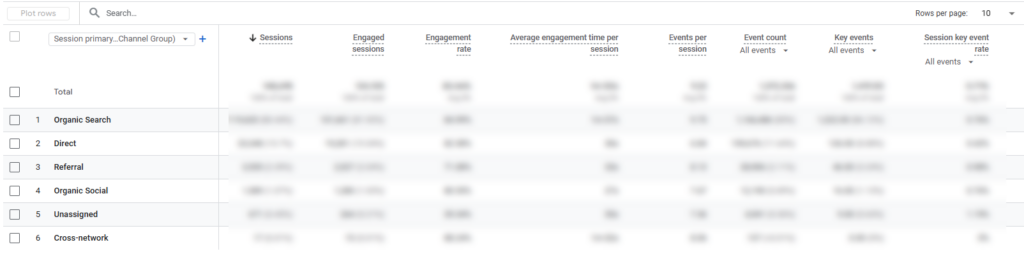
GA4 can feel overwhelming at first because it tracks everything as events. But once you understand a few core metrics, you’ll be able to tell—quickly—whether your traffic is quality, your content is doing its job, and your site is actually moving people toward conversion.
Now that you’ve set up GA4, what’s next?
The next step is learning how to properly interpret your data, because setup alone doesn’t give you insights.
Here’s how I usually break down the core metrics:
- Users / Active Users → the actual audience visiting your site
- Sessions → total visits to your website
- Engaged Sessions → visits that show real interaction and interest
- Engagement Rate → a quick indicator of traffic quality
- Average Engagement Time → how long users actually spend consuming your content
- Events → specific user actions like clicks, scrolls, or downloads. You can also set up custom events (I previously covered that in my guide to creating new conversion events.)
- Conversions → the outcomes that matter most, such as leads or purchases
After working with GA4 for a while, I’ve noticed a few patterns I always pay attention to:
- High traffic but low engagement usually means the traffic isn’t well targeted or the intent doesn’t match the content
- Strong engagement but low conversions often points to a weak call-to-action or friction in the conversion path
Using GA4 for Traffic and Content Insights
GA4 is where you connect the dots between what’s bringing people in and what’s actually working once they arrive. It helps you spot which pages attract the right intent, which content keeps attention, and which traffic sources look good on paper but don’t move users closer to action.
This is where SEO stops being “rankings and visits” and starts being performance you can improve.
Organic Traffic Analysis
Use acquisition reports and focus on Organic Search. For better context, pair this with Search Console data. This is where tools complement each other.
Landing Page Performance
When analyzing your Landing Page Performance, look for:
- Pages that are driving traffic
- Pages that are driving engagement
Pages that rank but don’t engage are your quickest opportunities.
User behavior analysis (where GA4 really shines)
This is the area most people tend to overlook, even though it’s where GA4 provides the most value.
Instead of just looking at surface-level metrics, this is where you start understanding how users actually interact with your website such as what they engage with, where they drop off, and what drives them to take action.
Path Exploration
Track how users move through your site
For example, you might see a path like: Blog → Service Page → Exit
This kind of flow tells you a lot about whether your internal linking and site structure are working as intended. If users consistently drop off at a certain stage, it often signals a disconnect in navigation or content relevance.
Funnel exploration
You can also map out key user journeys such as: Landing → Interaction → Conversion
This helps you understand where users are engaging and where they’re losing interest. If you notice drop-offs early in the funnel, it usually points to issues with messaging, UX, or overall value clarity. From there, you can make targeted improvements based on actual user behavior rather than assumptions.
Conversion Tracking and Insights
However, high traffic alone doesn’t mean much without outcomes.
With GA4, I focus on:
- Pages that generate conversions
- Channels that assist conversions
- Drop-off points
In the Philippine market, this is crucial. Many sites generate traffic but struggle to convert it into leads or sales.
Custom Reports and Explorations
Default reports only scratch the surface. You have to customize your data sets further.
Use Explorations to:
- Segment audiences
- Compare behaviors
- Analyze performance deeper
Examples:
- Blog visitors vs homepage visitors
- Mobile vs desktop performance
This is where patterns become clearer.
GA4 and AI-Driven Insights
- Predict behavior
- Detect trends
- Highlight anomalies
It’s tempting to rely on AI, but it’s important to remember that it doesn’t replace human-made website and traffic analysis.
It can help you move faster and surface useful insights, but at the end of the day, the decisions still depend on how well you understand your data and the context behind it.
Common GA4 Mistakes to Avoid
These are the issues I most often come across when working with GA4 setups:
- Conversions not properly configured, which makes it impossible to measure real performance
- Misinterpreting engagement metrics and drawing the wrong conclusions from the data
- Ignoring event tracking, leading to a very limited view of user behavior
- Over-relying on default reports instead of exploring deeper insights
- Not integrating GA4 with other tools like ads or CRM systems for a complete picture
A lot of these problems come from treating GA4 like older analytics platforms, instead of adapting to how event-based tracking actually works.
Advanced Strategies That Actually Move Results
Once the basics are in place, you can start using GA4 in a more strategic way:
- Use aggregated analysis to understand user retention over time
- Track scroll depth and engagement to measure true content consumption
- Analyze assisted conversions to see what influences decisions along the journey
- Measure content impact beyond just traffic, focusing on behavior and outcomes
This is where GA4 shifts from simple reporting to real strategy, helping you make decisions based on actual user behavior rather than surface-level numbers.
Key Takeaway
GA4 is no longer just about measuring visits. It’s about understanding user behavior and using that insight to make better decisions.
The real value comes from getting the fundamentals right:
- Proper setup
- Accurate tracking
- Clear interpretation
- Actionable insights
If you want to improve performance this year, this Google Analytics guide for 2026 should help you move beyond surface-level metrics and start making decisions that actually drive real growth.
