Link Management Tool: Cognitive SEO

Recently, I had the opportunity of being invited by Cognitive SEO to review their link management tool. It’s in beta phase and I assumed that it would function somewhat like Raventools. Cognitive SEO tells me that their SEO toolkit is unique and a new development in the area of link management. (I’ll be giving out a FREE COUPON CODE at the end of this entry) Let’s take a closer look:
Note: Cognitive SEO Has launched a version 2 of their Link Management Tool.
The tool has 5 main parts:
- Dashboard
- InBound Link Analysis
- Link Management
- Rank Tracking
- To-dos
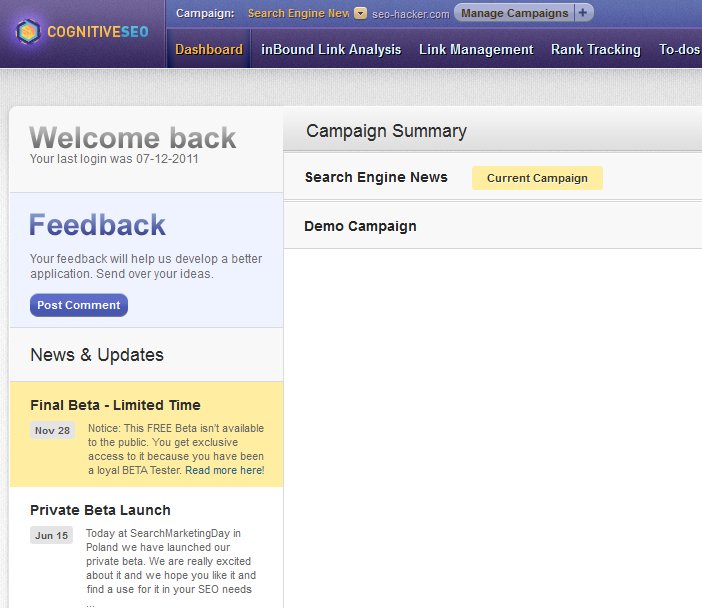
At the dashboard section of the tool, you can chose which campaign you’d like to check out. Right now I only have 2 campaigns to choose from. And for the purpose of this review, I picked out ‘Search Engine News‘.
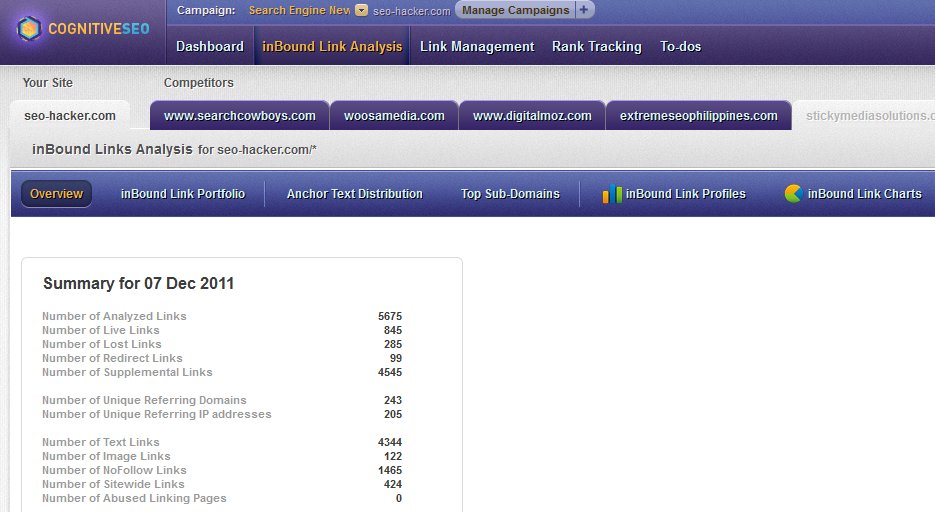
As we look into the InBound Analysis section, we can immediately see the summary of your links. It tells you the number of:
- Analyzed Links
- Live Links
- Lost Links
- Redirect Links
- Supplemental Links
- Unique Referring Domains
- Unique Referring IP Addresses
- Text Links
- Image Links
- Nofollow Links
- Sitewide Links
- Abused Linking Pages
As you can see, the SEO Hacker data for this link summary seems a bit odd. There are too many links. I have no idea how they find links and categorize ’em as supplemental or coming from abused linking pages.
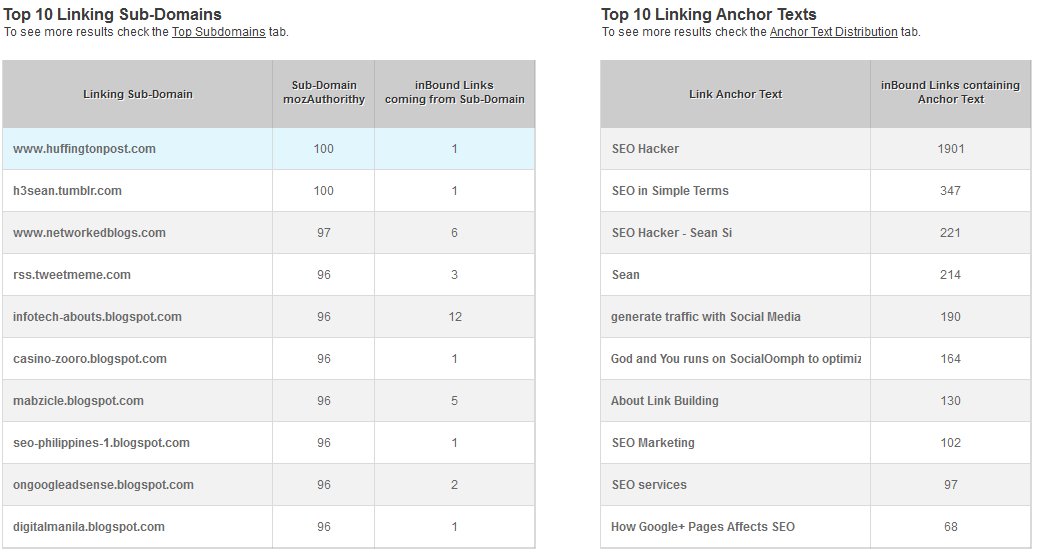
The tool also shows you the top 10 linking sub-domains to your website. As you can see, the tool does not always show where the exact sub-domain URL is as in this example: it has revealed huffingtonpost.com and not the sub-domain where the link is coming from.
The tool also shows you your anchor texts starting from the most used to the least from all your backlinks that the tool has indexed.
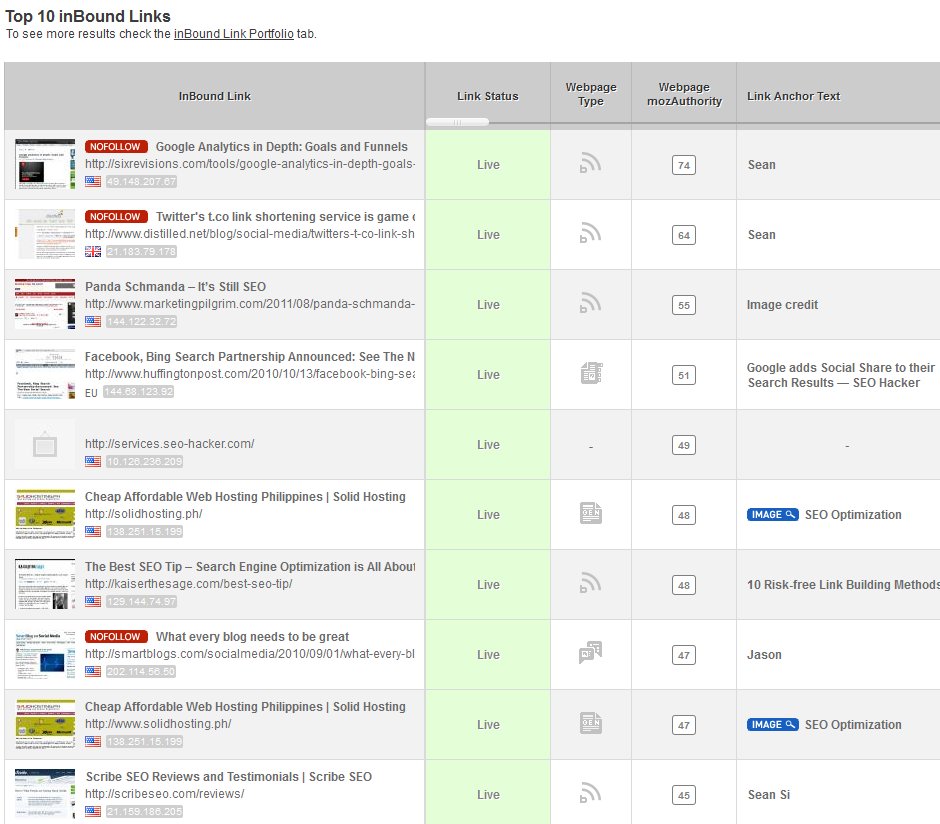
The tool also describes your inbound links in more detail – it even comes with a screenshot. It tells you whether your link is a nofollow link, if your link is an image, the type of website it comes from (blog, news site, generic, etc…), anchor text, link visibility (link placement), link context (if it’s in a group or if it’s in the content), Google PageRank, webpage’s MozRank and the webpage’s MozAuthority. It’s pretty extensive – and solid linkbuilding companies will really appreciate the data that this tool regurgitates to its users.
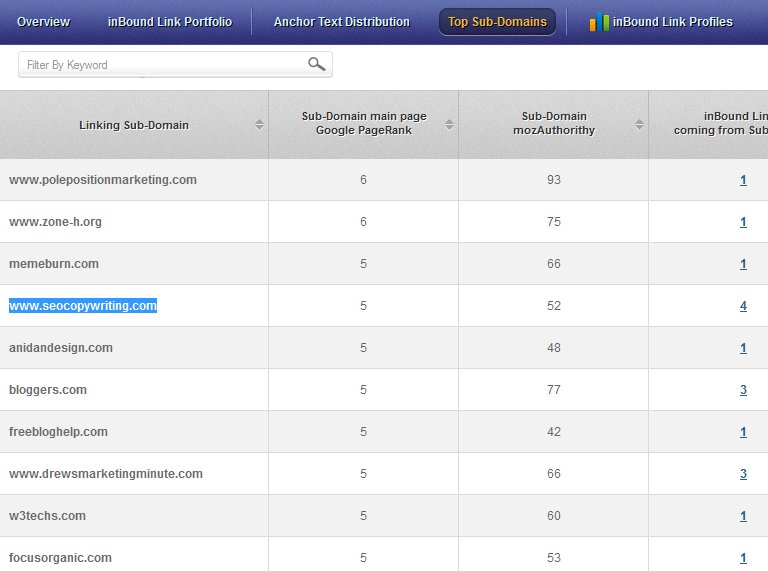
You can also check the top subdomains that are linking to you – their Google PageRank, MozAuthority and the number of their links to you. The tool doesn’t accurately show the sub-domain URL though. Perhaps they will still improve on this.
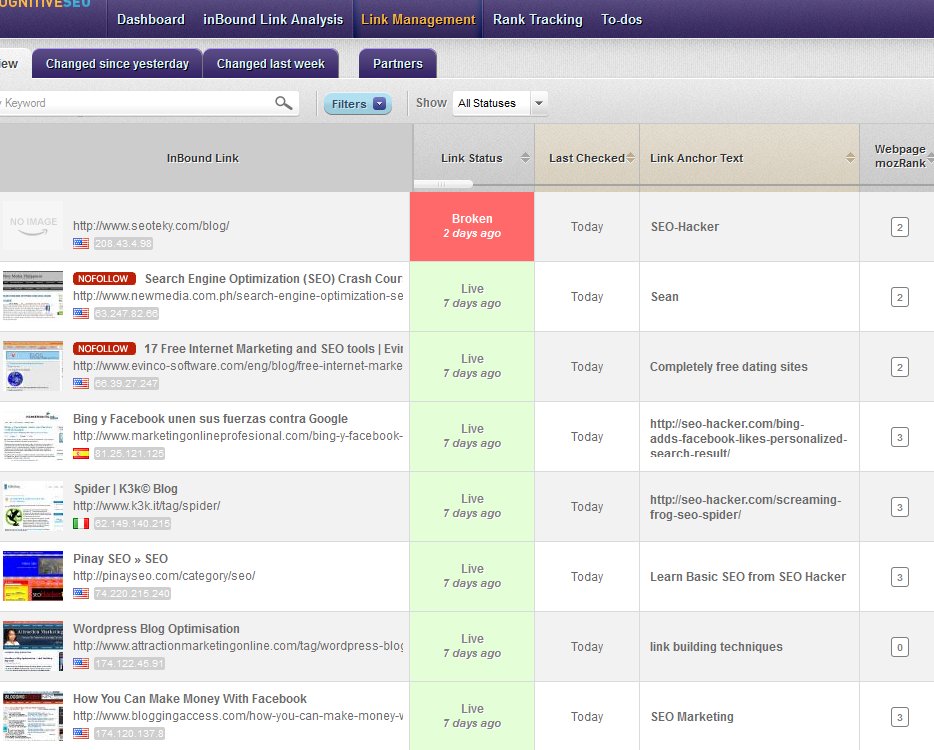
My favorite part of the tool is the link management module wherein the tool automatically tracks whenever a link goes out of the radar (broken link). This automated monitoring can really help you track your links in the web – especially if you have link partners or paid links.
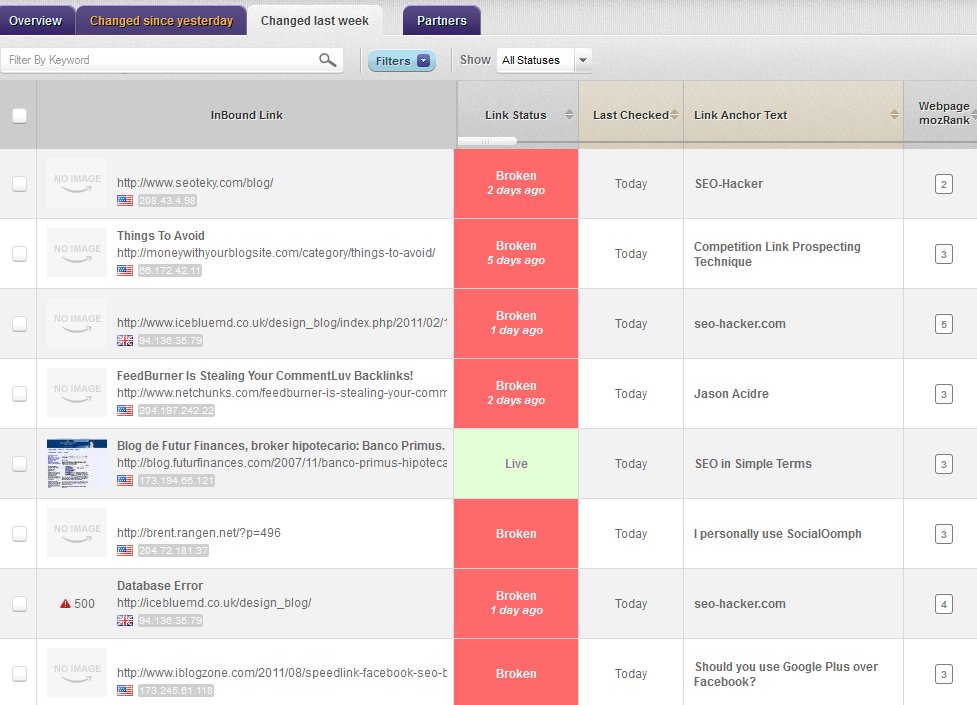
The link management tool also lets you view only the links that had changes since yesterday or since last week (as show below).
It also has a function where you can track all your link partners – and it will notify you when a link partner has removed your link from their site – if you are into reciprocal linking, this is for you. Unfortunately, I’m not into reciprocal linking so I don’t have any sample screenshot on the capabilities of this tool.
The Rank tracking tool deals with your Search engine rankings with the keywords you’re targeting. For the purposes of testing out this tool, I inserted some keywords that I’m ranking for and some keywords which I’m familiar that these other sites are ranking for.
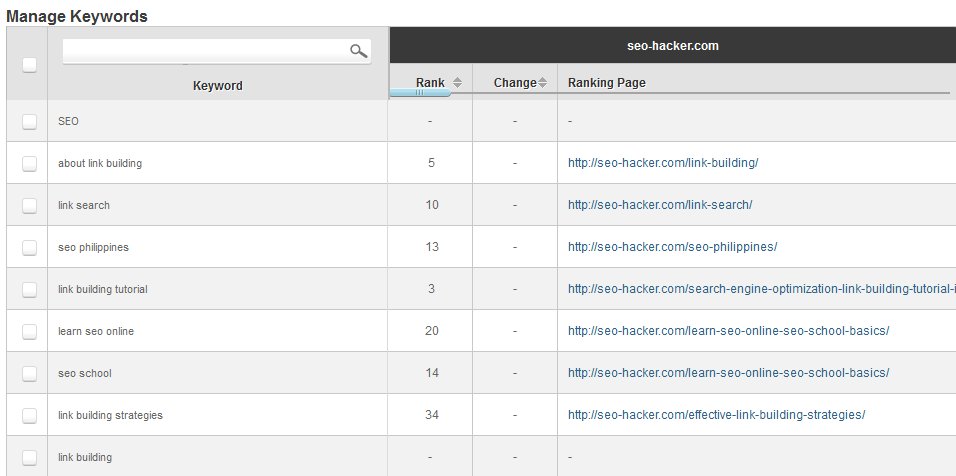
These are the keyword set that I chose for this review. As you can see, the ranks of these keywords for your website is shown as well as the change (I’m guessing the changes are tracked every week), as well as the ranking page (URL).
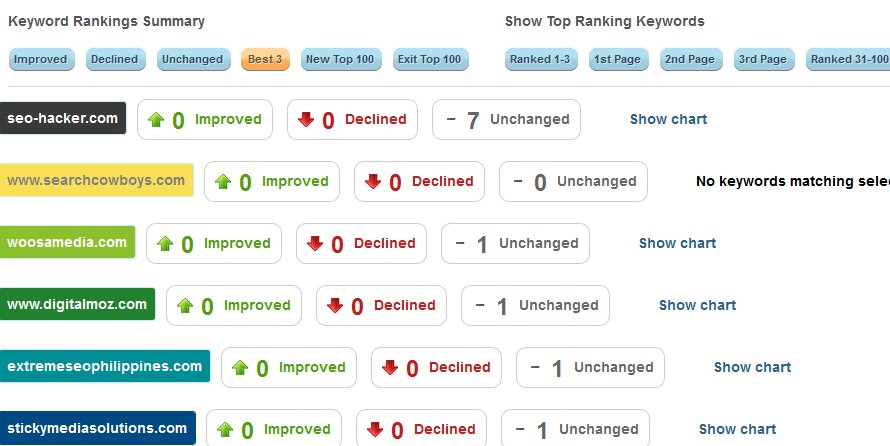
The keywords can be compared to your competitors in the aspect of whether it has improved, declined or if it remains unchanged.
Advantages:
- Easy to use and understand interface
- Real-time updates
- Lots of data
- Emails you whenever there is a change in your link status for the day
Dislikes:
- There are too many links. I have no idea how they find links and categorize ’em as supplemental or coming from abused linking pages
- Some data like the sub-domains are not yet as accurate as it should be

Tips for Keeps: You can check out Cognitive SEO toolkit for FREE– and I encourage you to do so for your own link management. If you’re going to try it out, you can enter SEOHACKER15 on the coupon area to unlock a sweet 15% off if you’re going to continue using it after the trial period.
